Article
FLUX 3 beta is out, we tried it. Here are our thoughts
The new FLUX 3 beta is here, and it makes some pretty big promises. So, naturally, we wanted to see what it can actually do with the kind of images we work with every day. Rather than creating images from scratch, we decided to test it the way an architectural visualizer might actually use it: starting with rough Blender renders and asking the model to turn them into finished architectural images. We also compared the results with GPT Image 2.5, because image quality isn't the only thing that matters in an archviz workflow. How much control do you retain over your original scene? That turned out to be one of the most interesting things about FLUX 3.
First test - Villa exterior, rainy
For the first test, we created a really rough scene in Blender and rendered it with flat lighting. This was going to be our input image.
We added some vegetation and rough materials, but deliberately left the interiors unfurnished. The idea was to see how far the AI models could take the image while keeping the original architecture, camera and composition intact.
The prompt we used on both models was:
Turn this aerial render into high end architecture photography. Rainy weather, fog. Diffuse lighting. Turn on the interior lights and furnish the interior. The interior is oak parquet floor. Pebbles roof. Warn out asphalt on the road. On the right of the house there's dense shrubs. On the left there's a nicely kept lawn and then trees, add proper dirt and shubs under the trees so it looks like a natural forest. Make it rainy. Wet materials. Enhance all the conifers. Do not change camera position. Do not change the building's architecture. Remove the big tree next to the car. Replace all the shrubs next to the house with shrubs of different types so it looks natural.
And this is the (very) raw render we used:
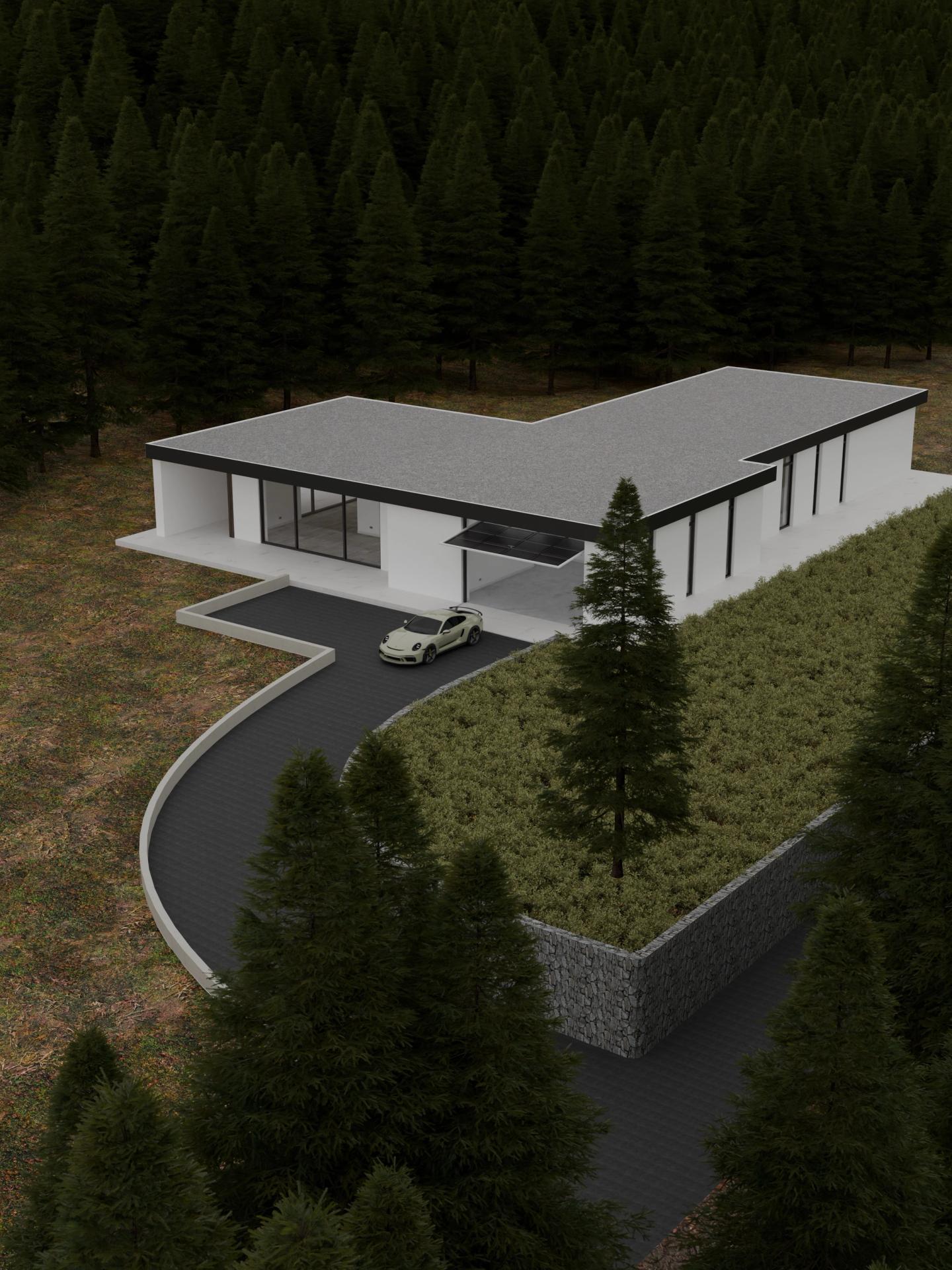
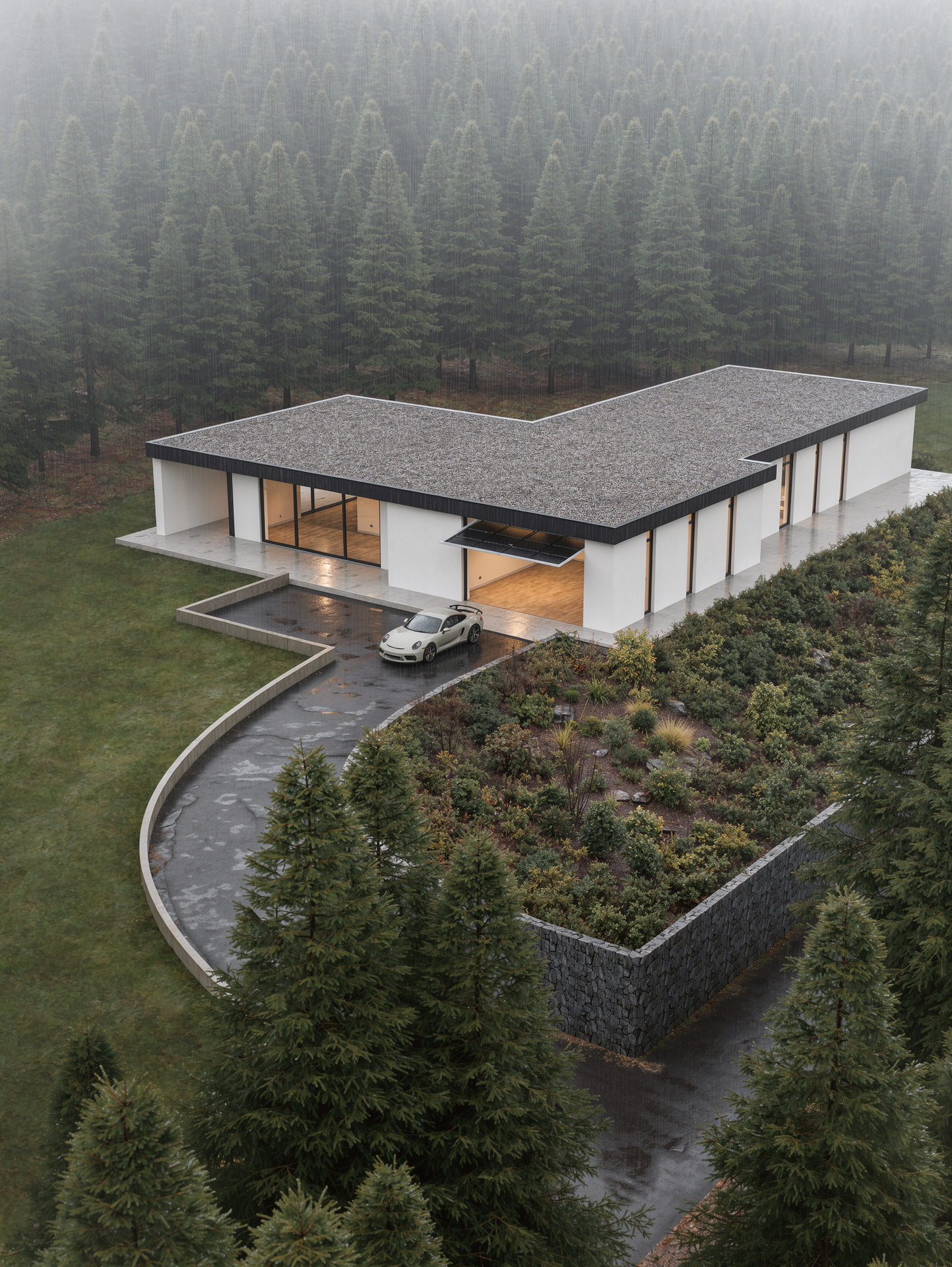
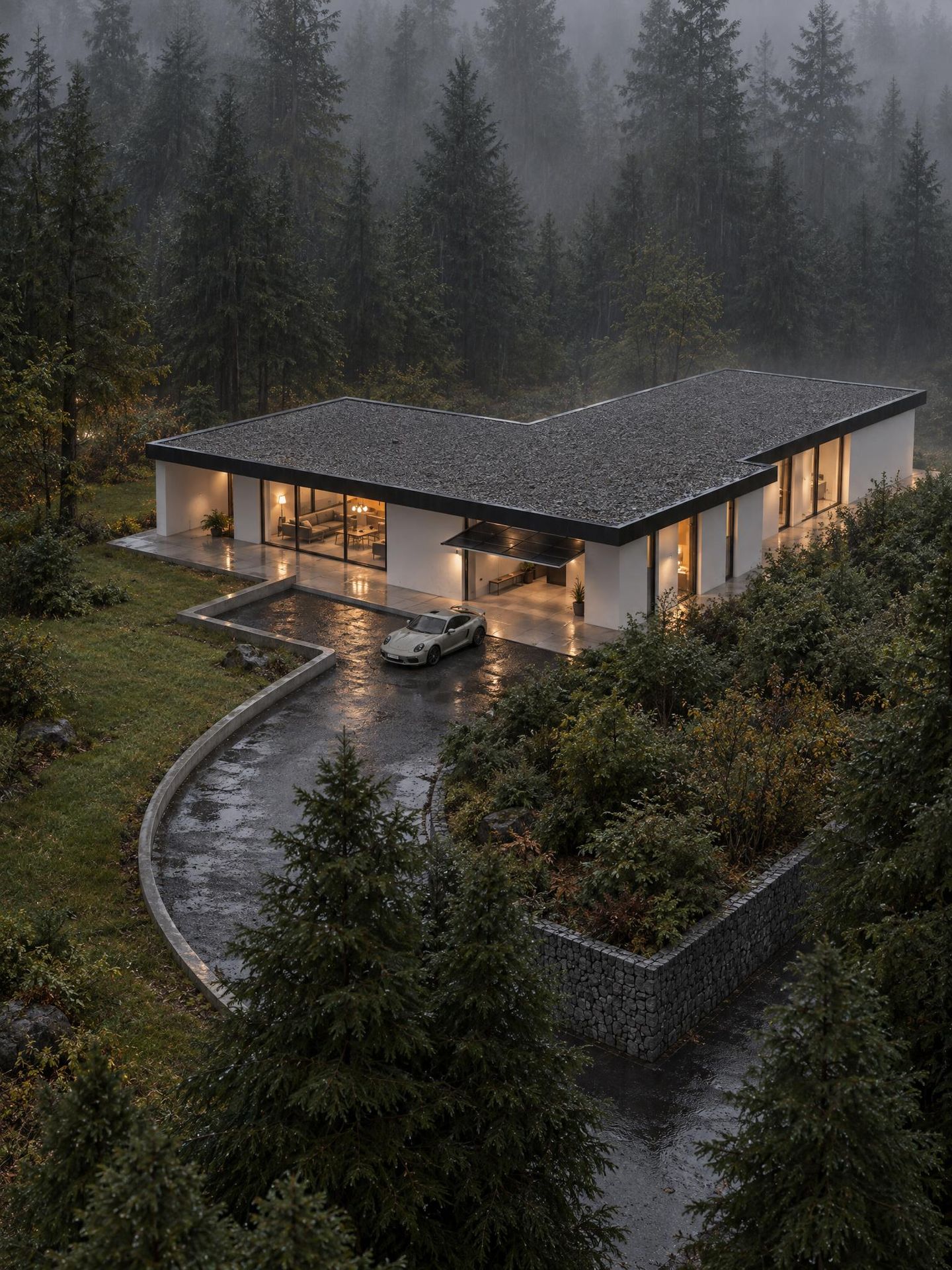
After running the image through GPT Image 2.5 and FLUX 3, we got the two images below.
The first thing that struck me was that the FLUX 3 result stayed much closer to the original reference. At first glance, this can almost make it look like the less impressive result — it doesn't try as hard to turn the image into a completely different, polished-looking photograph.
But that's not necessarily a bad thing.
In an architectural workflow, preserving the things you didn't ask the AI to change can actually be a feature.
If the model changes the camera, proportions, architecture, landscaping or composition on its own, you can end up with a beautiful image of a building that doesn't quite exist anymore. That might be fine for concept art, but it's a problem when you're trying to visualize an actual project.
With FLUX 3, we found that the model generally did what we specifically asked it to do while leaving much of the rest of the image alone.
The asphalt, shrubs and weather all worked really well. At the same time, things we hadn't explicitly mentioned remained largely untouched: the texture tiling on the stone wall, the harsh transition between asphalt and dirt, and some of the less convincing trees were still there.
And again, I actually think this is a good thing.
It means the model is not necessarily trying to "fix" your image according to its own idea of what a nice architectural photograph should look like. You remain responsible for deciding what needs to change.
That's a slightly different philosophy from a model that tries to make everything look better automatically.
I was particularly impressed by how it handled the shrubs next to the house. They don't have the typical criss-cross patterns you often see in AI-generated vegetation, and they don't have the overly glossy, HDR-like appearance that some AI images tend to produce.
The overall accuracy of the scene was also noticeably closer to the original. The house matches the project, and the shot itself didn't change.
Even the camera tilt stayed.
The original render had a perspective where the vertical lines weren't perfectly vertical, and FLUX 3 preserved that. GPT Image 2.5, on the other hand, corrected the verticals and pushed the image towards a more conventionally "architectural" look.
Neither approach is necessarily right or wrong. They're simply different.
For an architect or visualizer who needs to preserve a very specific camera and project geometry, though, that distinction matters.
Second test - a closer exterior shot
For the second test, we wanted to try a closer shot of the same scene.
The prompt we used initially was the following:
Turn this raw render into high end architectural visualization. Keep the exact same framing, camera position, objects position and scales. Use reference 2 for materials, vegetation and mood. Make it a rainy day. Wet surfaces. Furnish the interiors of the house. Warn asphalt under the car. Do not change camera position. Do not change the architecture or the shape of objects. Close to the camera there's shrubs with some depth of field. Close to the camera there's a small stone wall.
And the image we used as input was this one:
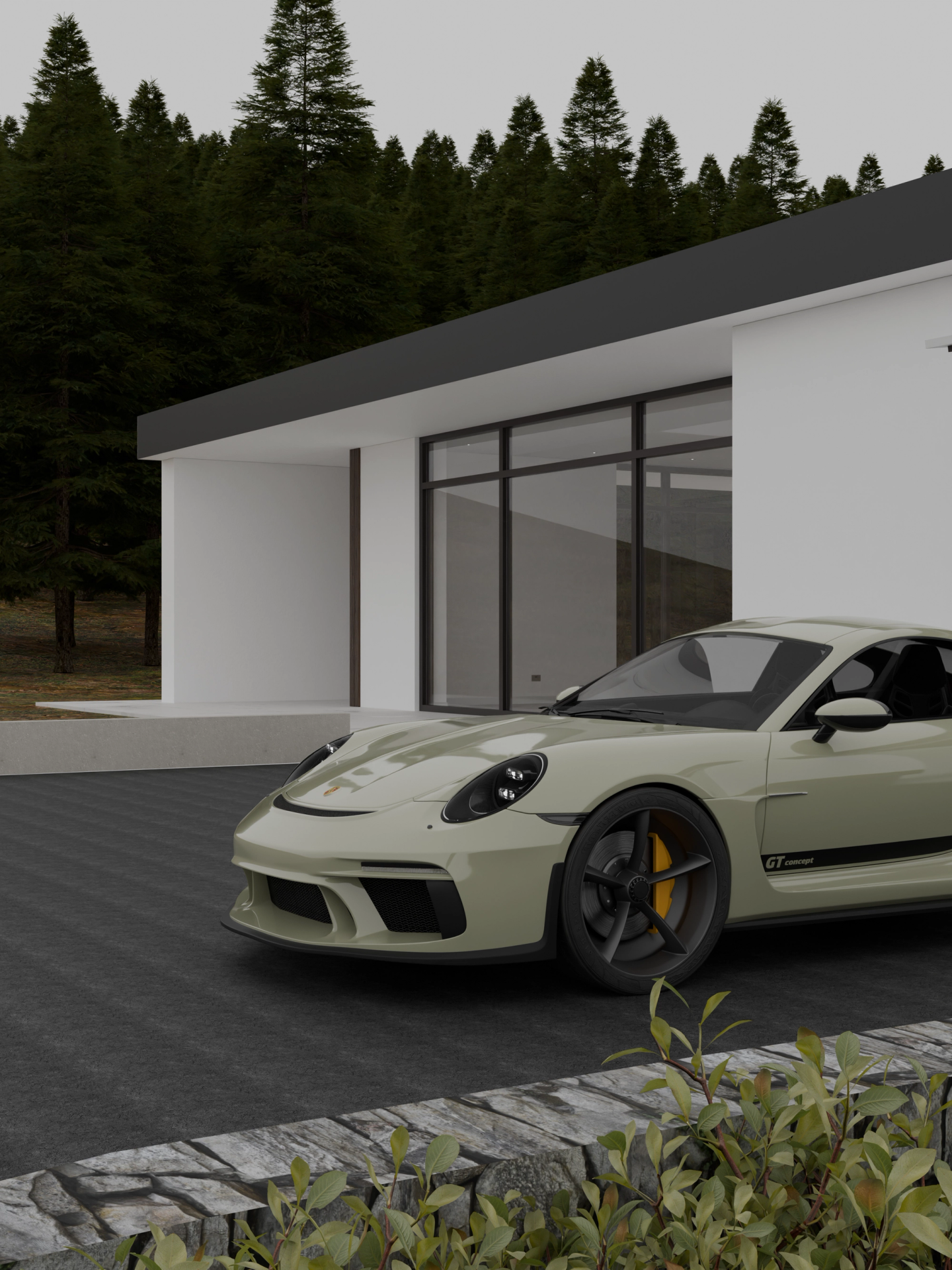
As expected, we got similar results.
Again, FLUX 3 worked very well on the things we explicitly asked for and left much of the rest of the image relatively untouched.
There was one interesting limitation, though: in both of our exterior tests, FLUX 3 ignored the instruction to furnish the interiors.
That's not necessarily a problem. In fact, it is a useful reminder that these models don't always execute every instruction in a long prompt equally well.
When I made a second pass specifically asking it to furnish the interior, it did it.
So there seems to be a workflow hiding here: instead of asking the model to solve everything in one giant prompt, it can make more sense to treat AI enhancement as a series of controlled passes.
That's actually quite close to how we already work in 3D.
We don't necessarily try to solve materials, vegetation, lighting, furniture, reflections and post-production in one step. We work progressively, fixing the things that need fixing.
AI image generation seems to benefit from the same approach.
In this scene, as in the first test, FLUX 3 did a great job with the rain, wet surfaces and asphalt.
The water on the asphalt has a slightly AI-generated look if you zoom in closely, but it is not particularly distracting at normal viewing distance.
At the same time, it preserved some of the weaknesses of the input image: the texture tiling on the asphalt is still visible, the stone wall is still quite flat, and the landscape lacks some detail.
Again, though, this gives us something useful to work with rather than completely changing the image.
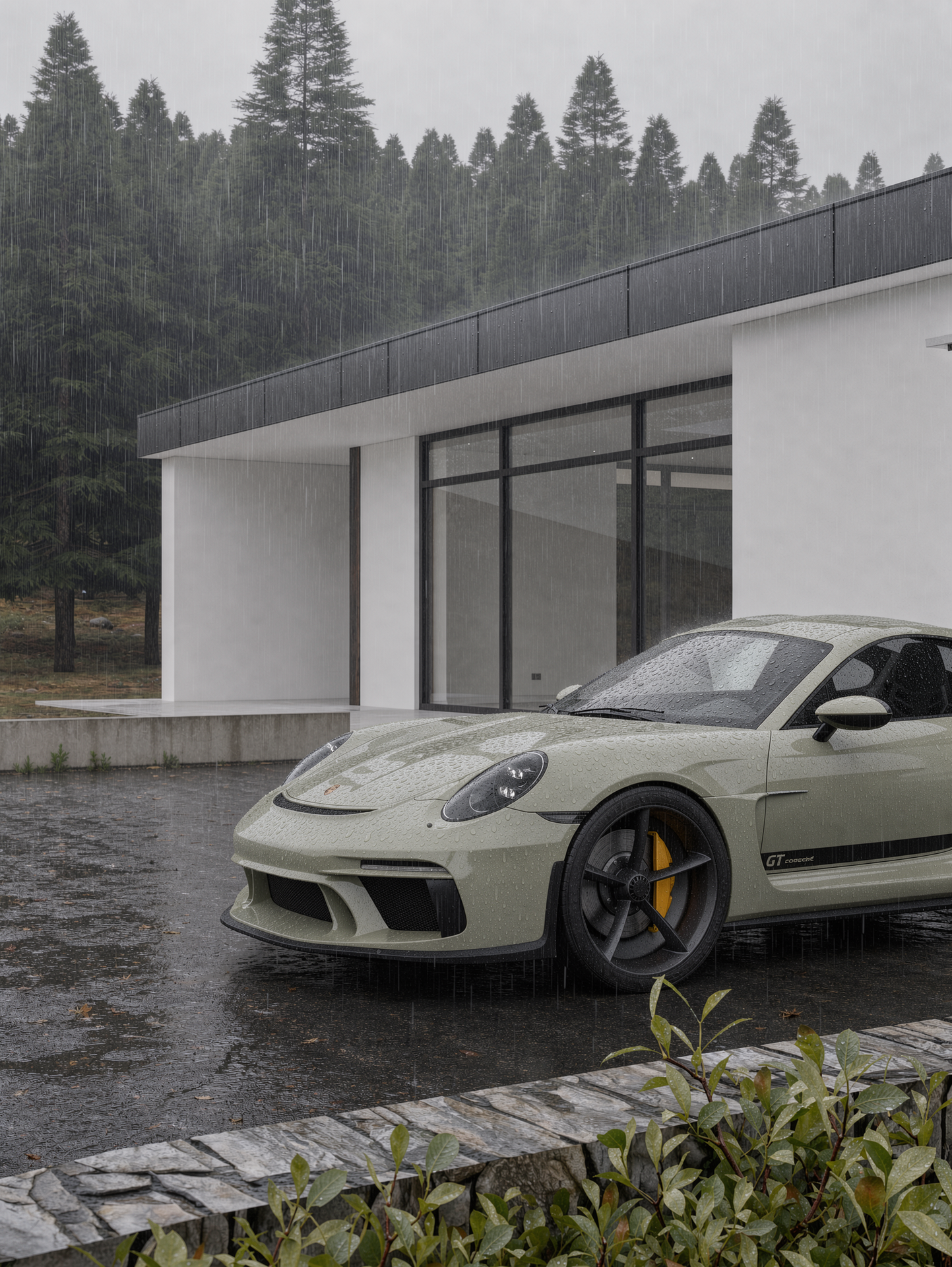
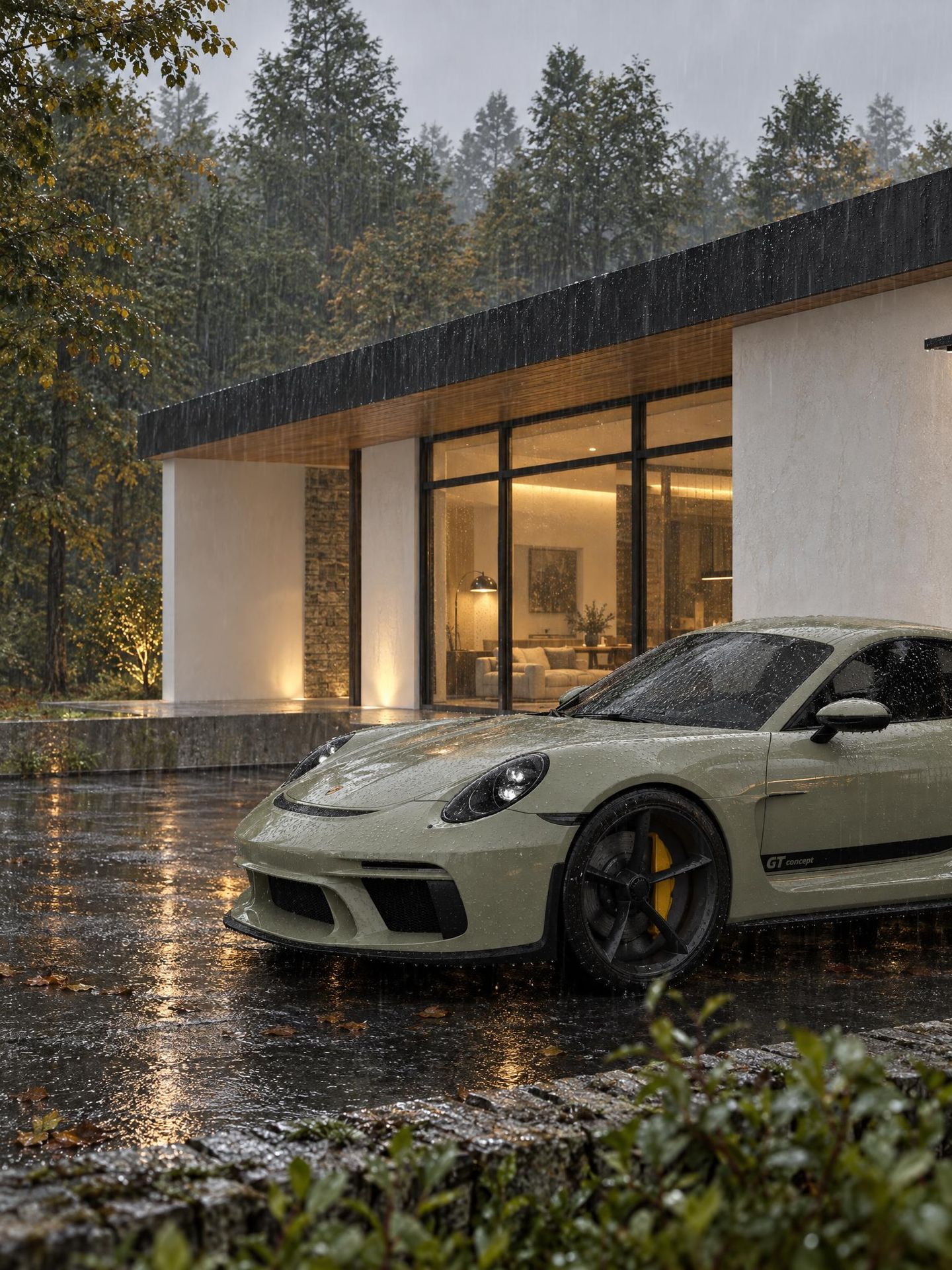
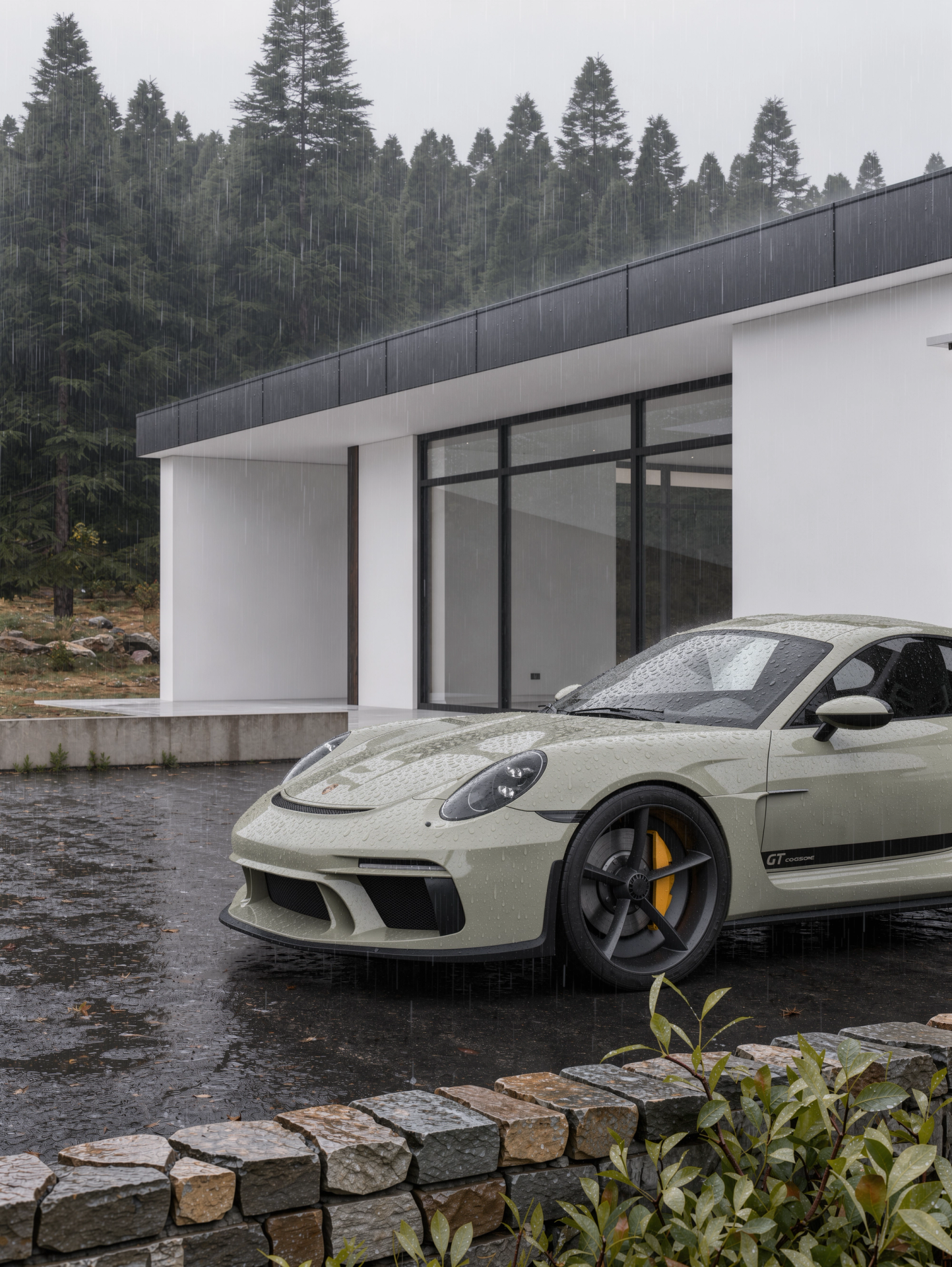
I then tried a quick second pass specifically mentioning the stone wall and the landscape.
It did a good job, although it changed the style of the stone wall. That was actually expected: I hadn't provided a reference for the wall, I had simply asked for a "stone wall".
This is another important point with these models.
If you want a specific material or design language, the more specific the reference, the more control you have over the result.
Third test - interior
For the last test, I fed FLUX 3 an interior screenshot that I put together in about ten minutes.
Again, it was deliberately very raw.
The prompt I used was:
Turn this blender screenshot into high end interior architectural photography. Add a carpet under the table. Add a carpet under the sofa. Enhance greenery outside the window. Rework materials to make them look more natural: oak parquet floor and white plaster walls. Add plates, forks, etc on the table. Have summer sunlight shine through the window. Add curtains to the far window. Do not change the framing. Do not change the architecture. Do not change the camera position.
And the input image was this:
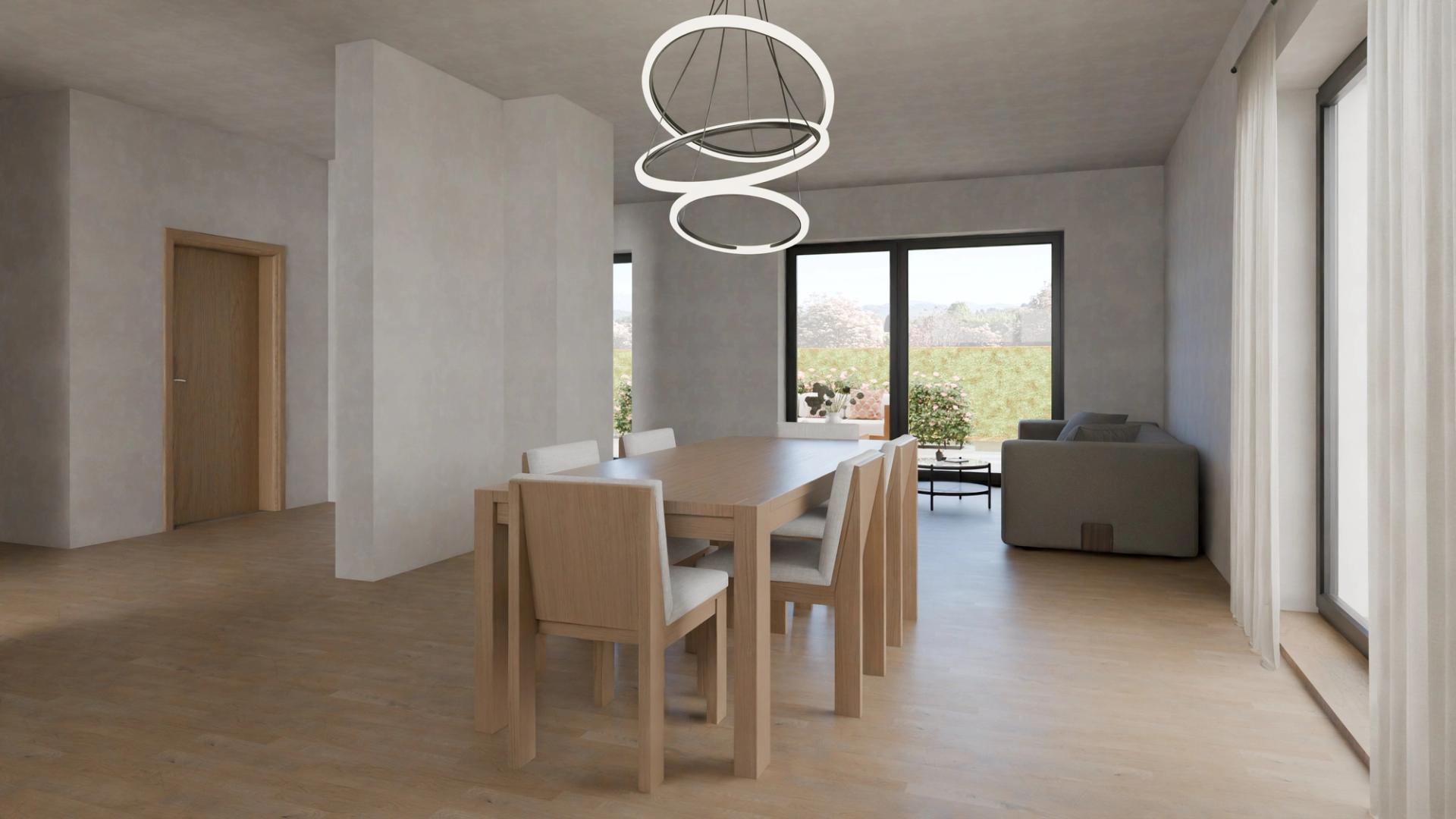
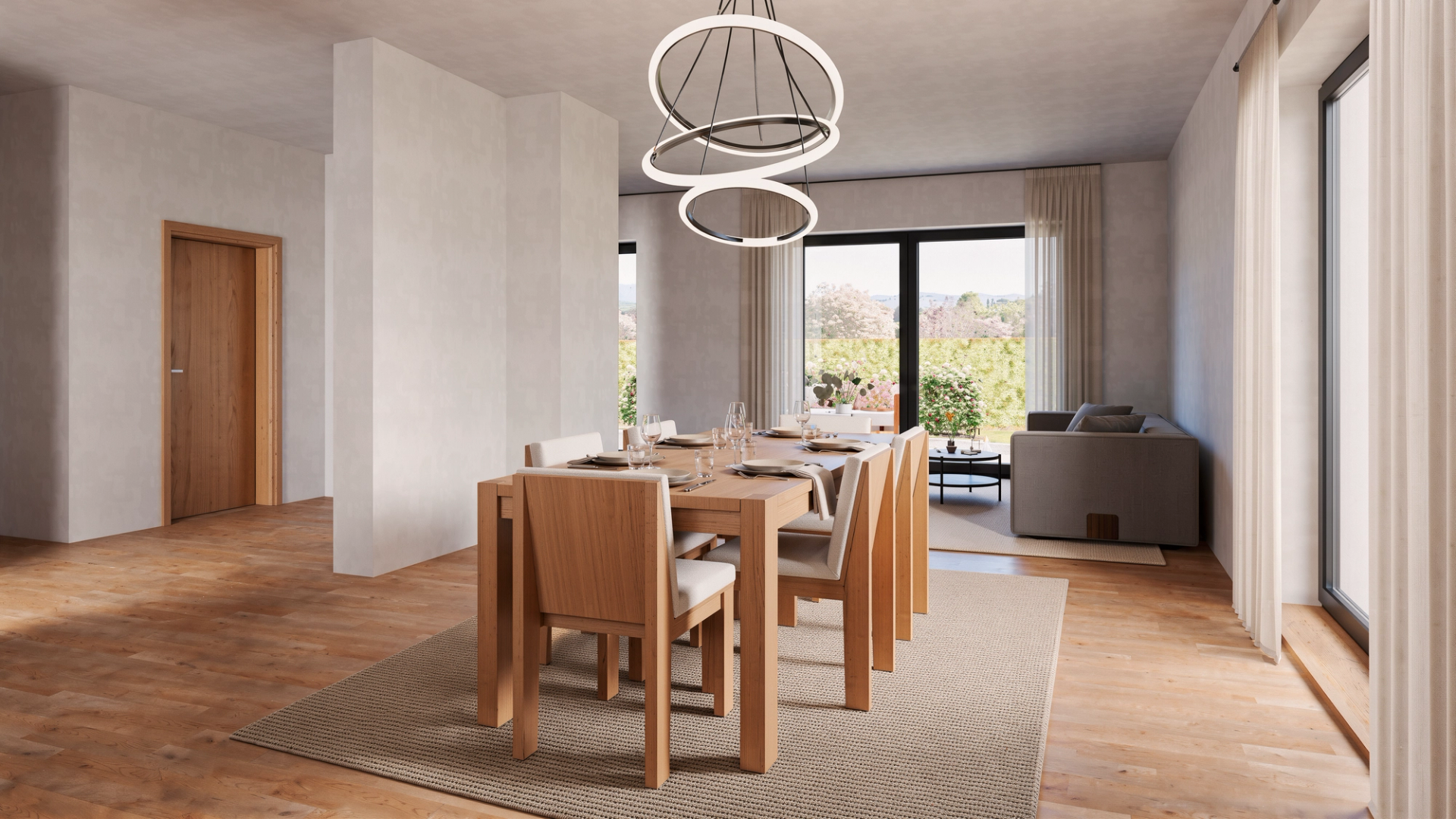
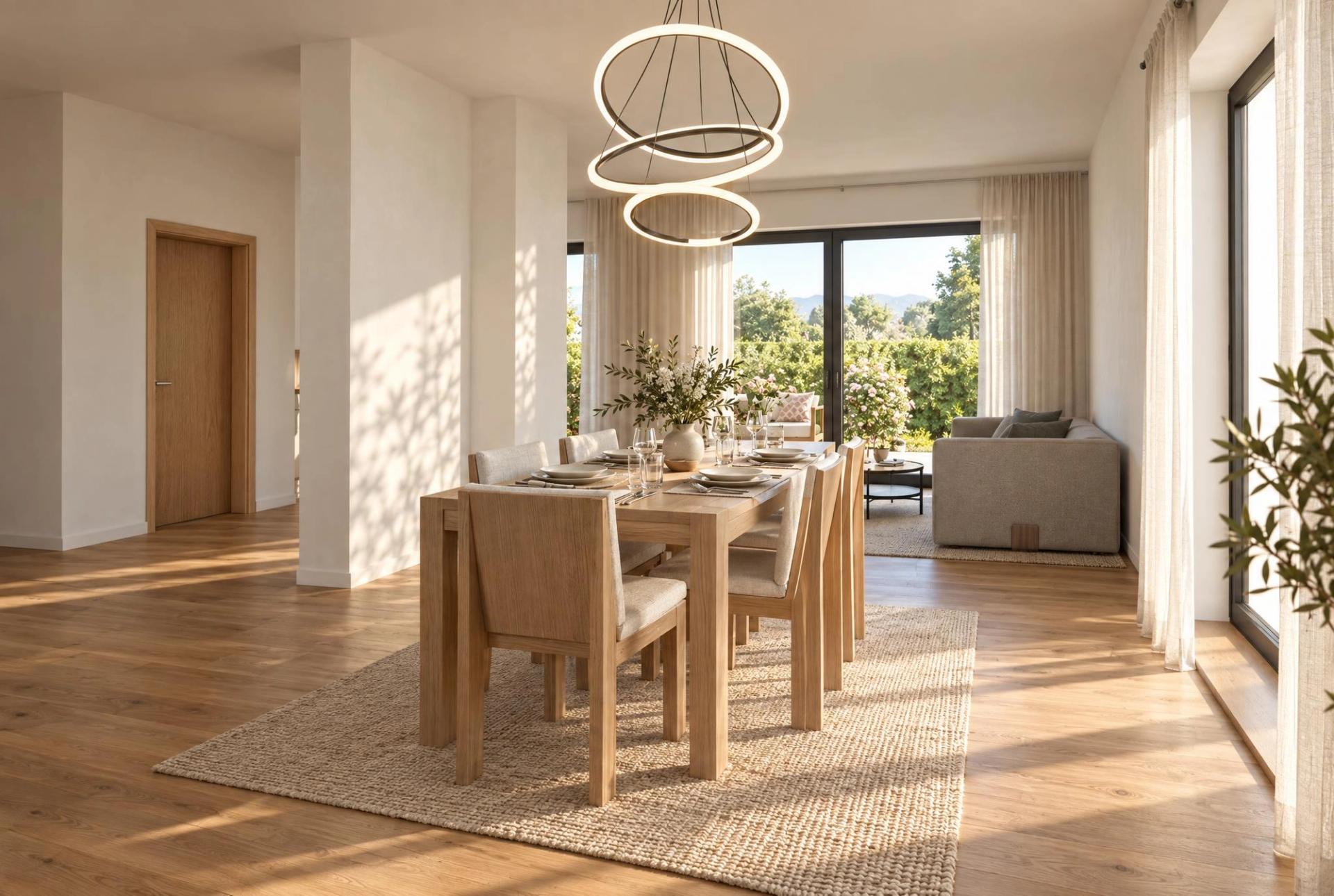
The results were pretty much what we had come to expect by this point.
It did well on the things we specifically asked for, while keeping most of the rest of the image unchanged.
It also completely ignored the instruction about the sun.
Again, not ideal if you expected a single prompt to solve everything — but not necessarily a deal breaker in a production workflow.
The important thing for us is that the underlying image remained stable enough that we could make another pass rather than starting over.
So, what do we actually think?
When reading this, please keep in mind that I am not an AI expert (yet). These are simply my impressions from testing the model on a few architectural visualization examples.
When I first read about the release of FLUX 3, I thought we might finally have a model that fixed all the problems I had been running into with AI image generation: hallucinations, strange vegetation, impossible lighting, geometry changes and all the other little things that make AI-generated architectural images difficult to control.
We're not there yet.
FLUX 3 still has some of these problems, although in our tests they were often less noticeable.
It also struggles with text, for example, and some instructions were simply ignored when we put too many of them into one prompt.
On the other hand, I was impressed by its understanding of light, materials and the way shadows interact with objects. More importantly for us, I really like the fact that it tends to leave things alone when you don't explicitly ask it to change them.
That's probably the biggest takeaway from our tests.
Control is more important than "wow"
A model that generates the most spectacular image from a raw render isn't necessarily the most useful model for architectural visualization.
If you're working on a real project, you usually already know what the building is supposed to look like.
You don't want the AI to redesign the building.
You want to tell it:
- make the asphalt wet
- change the vegetation
- add rain
- improve the materials
- furnish the interior
- add some atmosphere
…and have it actually do those things without deciding to redesign everything else.
That's where FLUX 3 starts to become particularly interesting.
Black Forest Labs is also pushing this idea further with more explicit spatial control. The current FLUX 3 image tools allow users to define areas with bounding boxes and have the model generate within those regions, while keeping other parts of the composition editable. That is potentially very interesting for architectural workflows, where you might want to work on a façade, a planting area, a piece of furniture or a particular material without touching the rest of the image.
We haven't explored that workflow properly yet, so I'm not going to pretend we have tested it.
But conceptually, it fits very well with what we saw in these first tests.
Instead of asking AI to "make this image better", the future workflow might be much closer to directing individual parts of an image.
And that's much more useful to us.
Will we use FLUX 3?
I don't think I'll be using FLUX 3 as our only image model.
And honestly, I don't think that's the point.
Different models have different strengths. Sometimes you want a model that is more creative and willing to reinterpret an image. Other times you want something that stays extremely close to your original render.
For architectural visualization, I can see FLUX 3 being particularly useful as a controlled enhancement tool: start with your own 3D scene, establish the camera and geometry yourself, and then use AI to enhance specific elements rather than handing over the entire design process.
That's a workflow I can see myself using.
There are also features of FLUX 3 that we haven't properly tested yet. Black Forest Labs describes FLUX 3 as a multimodal model spanning images, video and audio, so there is considerably more to explore beyond the image tests in this article.
Another interesting feature is grounding. The idea is that when you are working with a specific real-world object, the model can use external information to help generate a more accurate representation. In an architectural workflow, that could become useful when you need recognizable products, vehicles or other real-world objects rather than generic approximations.
We haven't tested this properly yet either, so we'll leave that for another post.
The bottom line
FLUX 3 isn't the magical model I was hoping for.
But after these first tests, I'm actually more interested in it than I was before testing it.
Not because it magically produces perfect architectural images, but because it seems to offer something that is arguably more valuable in a professional workflow:
control.
It doesn't always make the image better on its own.
It doesn't always follow every instruction.
And it definitely still has some of the classic AI problems.
But when you tell it what to change, it often changes that thing without completely reinventing everything around it.
For us, that's a very good reason to keep it in the toolkit.
We'll report back once we get access to more of the features and have had a chance to push it further.
And I'm particularly curious to see what happens when we start using more targeted edits instead of asking the model to solve an entire image in one pass.
Stay tuned.
Other things worth mentioning
- FLUX 3 also supports video generation, although we haven't tested the video capabilities in this article.
- FLUX 3's image workflow includes more precise spatial control through bounding boxes, which is something we'd like to explore in a future test.
- Grounding can be useful when working with specific real-world objects and references, although we haven't tested this feature extensively yet.
If you want to try FLUX 3 yourself, you can find more information on the https://bfl.ai/models/flux-3-image
Please note: the images in this blog post are test image and they do not represent intovisual’s output quality. We’re just experimenting here.
Parlons-en !
Vous avez un projet à présenter ?
Dites-nous où vous en êtes et ce que vous devez présenter. Nous trouverons ensemble la solution visuelle la plus efficace pour votre projet.
Jonas Grümann